Why Brummell
The outfit layer that knows her wardrobe.
Brummell is the outfit layer for Shopify apparel stores: every clothing product shown in complete outfits from the store's own catalog and, for shoppers with a Brummell account, with what they already own, with the lift measured against a holdout the store can check.
Written to be forwarded: one page for whoever runs your store day to day.
01 With your catalog
Every piece, every way to wear it.
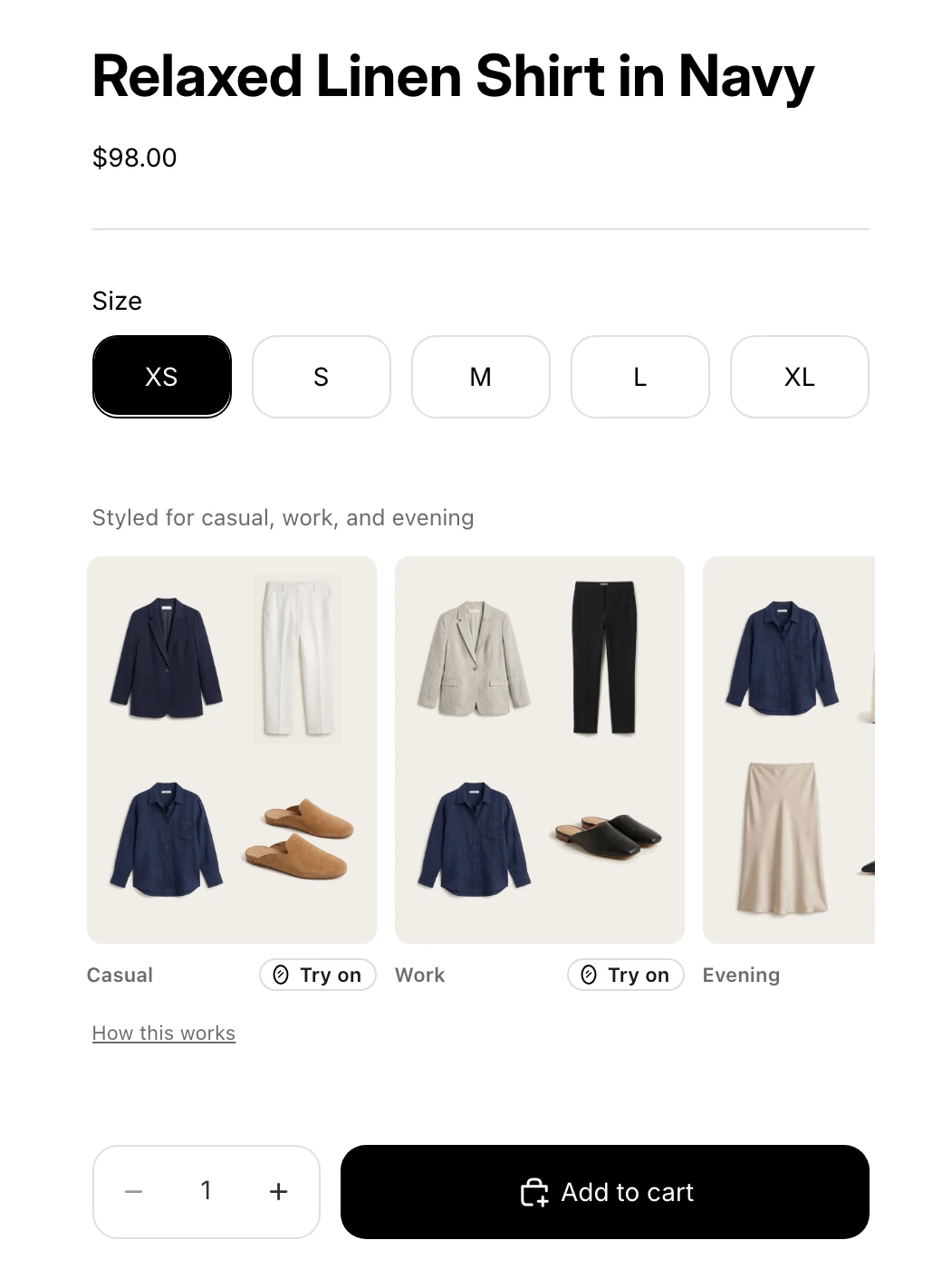
A product page shows one piece on its own, and she is deciding whether it goes with anything. Brummell builds outfits from your own catalog around that piece, in stock and at your prices, and shows them right above Add to cart. Your Outfits come first; Brummell fills the rest. Nobody builds the looks by hand, and nothing is shown that you do not sell as something to buy.
When your catalog stops short
A look your catalog cannot complete would show with a hole in it, or not at all. Styled picks are what let a tops-only or dresses-only brand show complete outfits, and they raise the number of products that can show an outfit in your review.
When your store has nothing for a slot, shoes when you sell no footwear for example, Brummell fills that one slot with a piece from its own unbranded example catalog. Every look keeps at least one of your products. Each one is labelled Styled pick, never priced, with no add button, and never sold by anyone. Brummell earns nothing from a pick. Your Brummell admin shows the picks shown in the last 30 days. Hide any single pick, or turn the feature off with one switch.
Same page, same theme, same Add to cart button. One block above it.
A product page shows one piece on its own. She is deciding whether it goes with anything she owns. Brummell puts outfits from your catalog, each built around the piece she is looking at, in the space between the sizes and Add to cart. Drag the line across the buy box.
Signed out: outfits from your catalog
02 With hers
For shoppers with a Brummell account, her own wardrobe.
A shopper with a Brummell account sees your pieces styled with what she already owns: her own piece first in every slot, your gaps shown as her gaps, the price as cost per wear. Her pieces appear only to her, inside a Brummell frame, never priced and never added to the cart. You see how many shoppers were shown their own pieces, never which pieces.
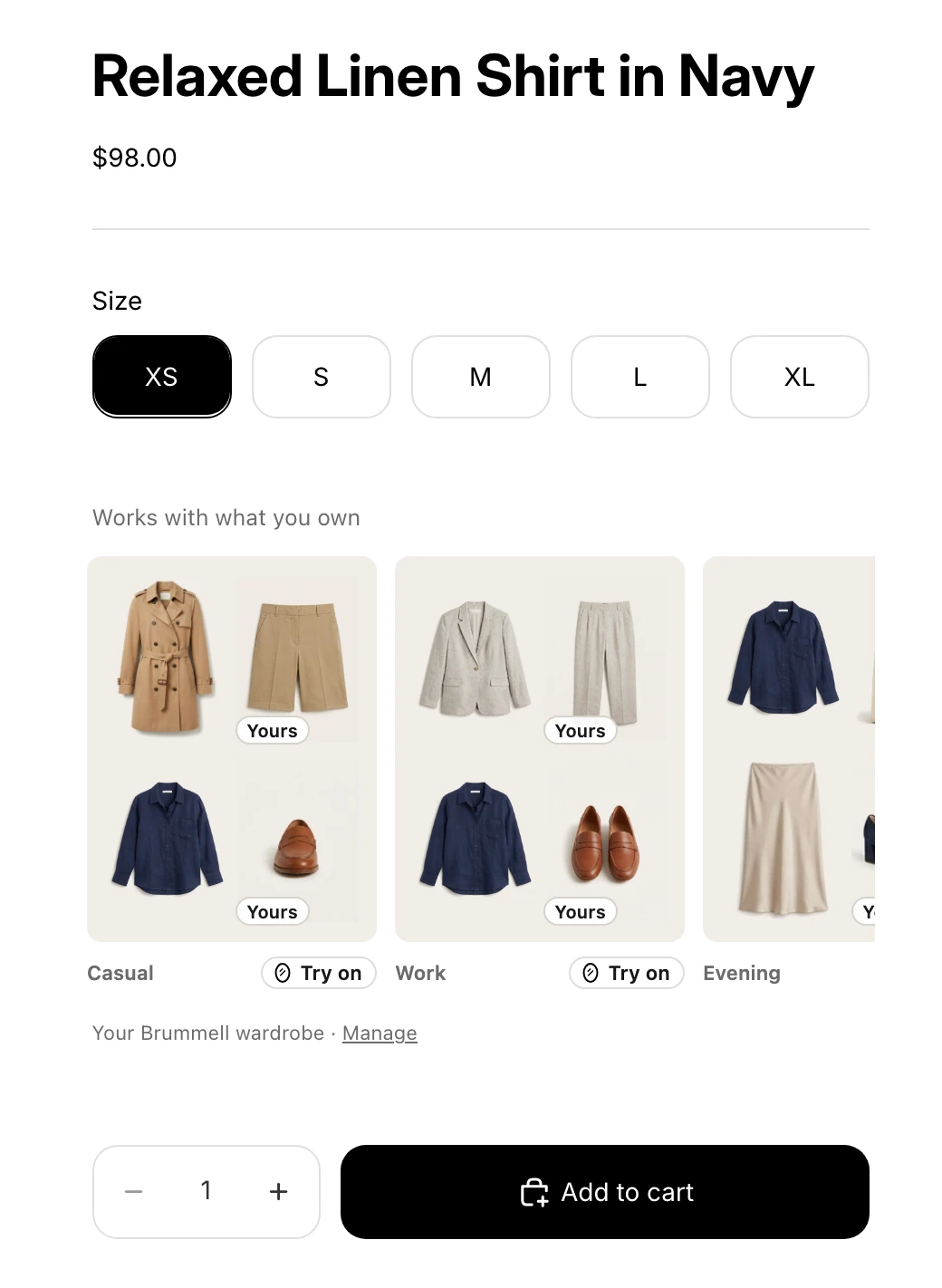
The buy box, signed in to demo Brummell account
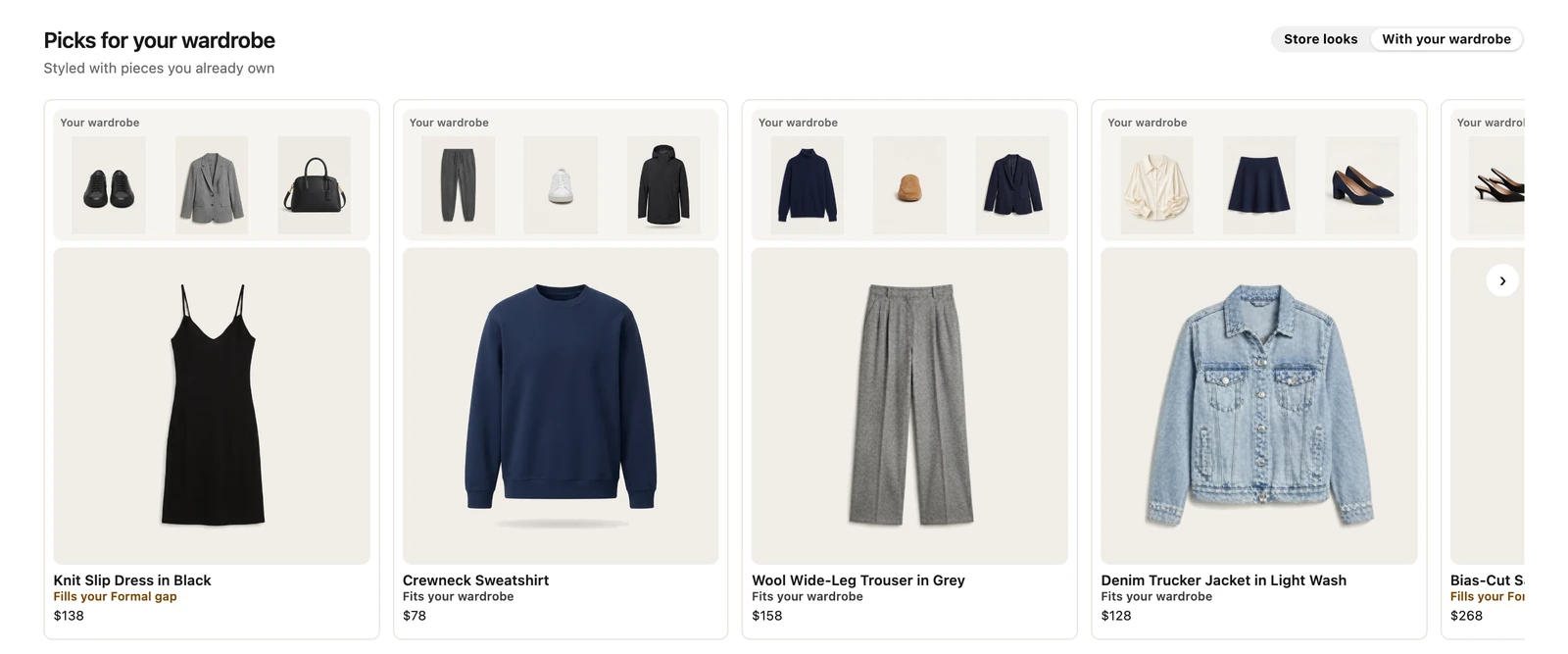
Picks for your wardrobe on the home page, signed in to demo Brummell account
Today, the shoppers with an account are the ones your store makes. That is what the loop is for.
The loop
Every order makes the next visit better.
For shoppers with a Brummell account, and the account starts in your store.
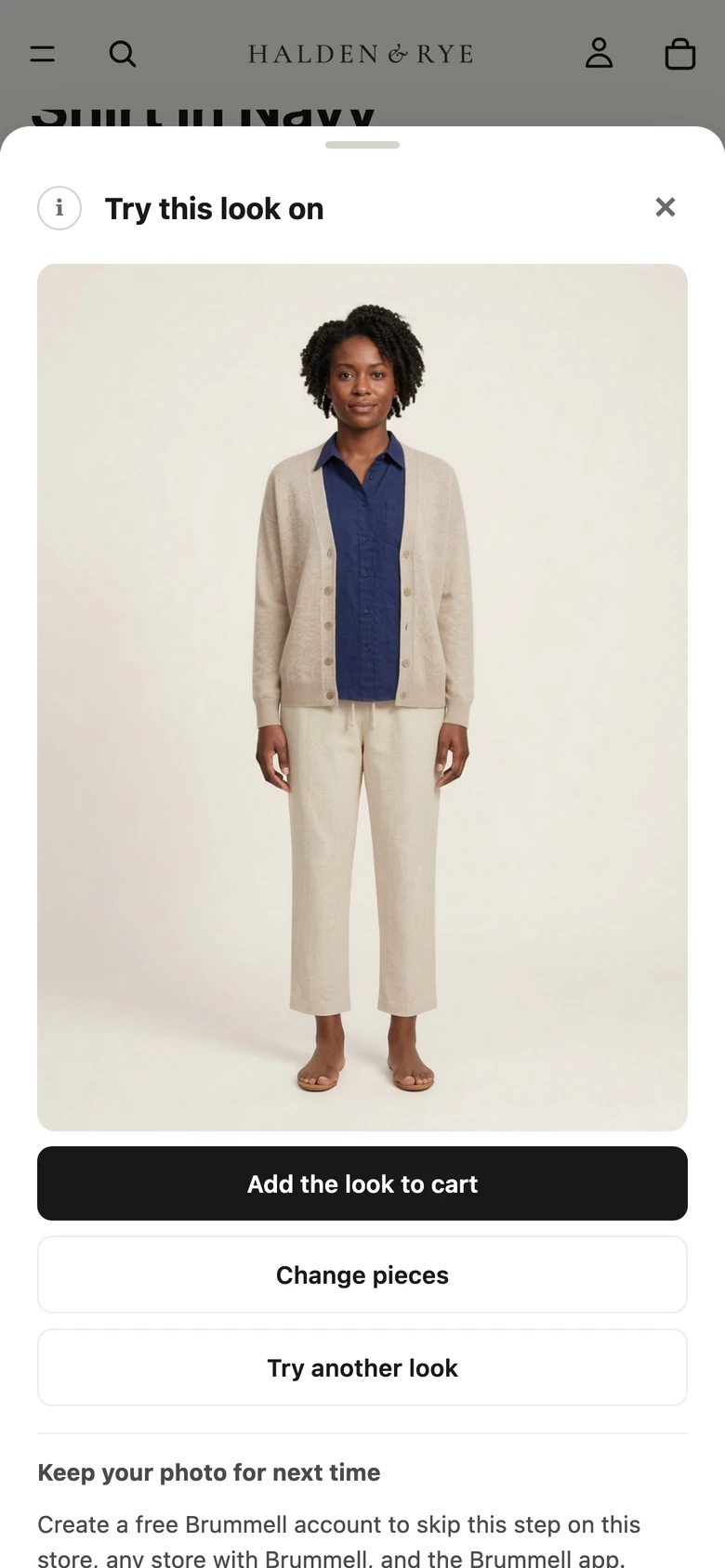 AI model
Try-on on a phone, on an AI-generated model photo
1She tries it on or saves the look
Either one asks her to make a Brummell account, in your store: Shop, Apple, Google or an email code. Brummell never reads her email from Shopify.
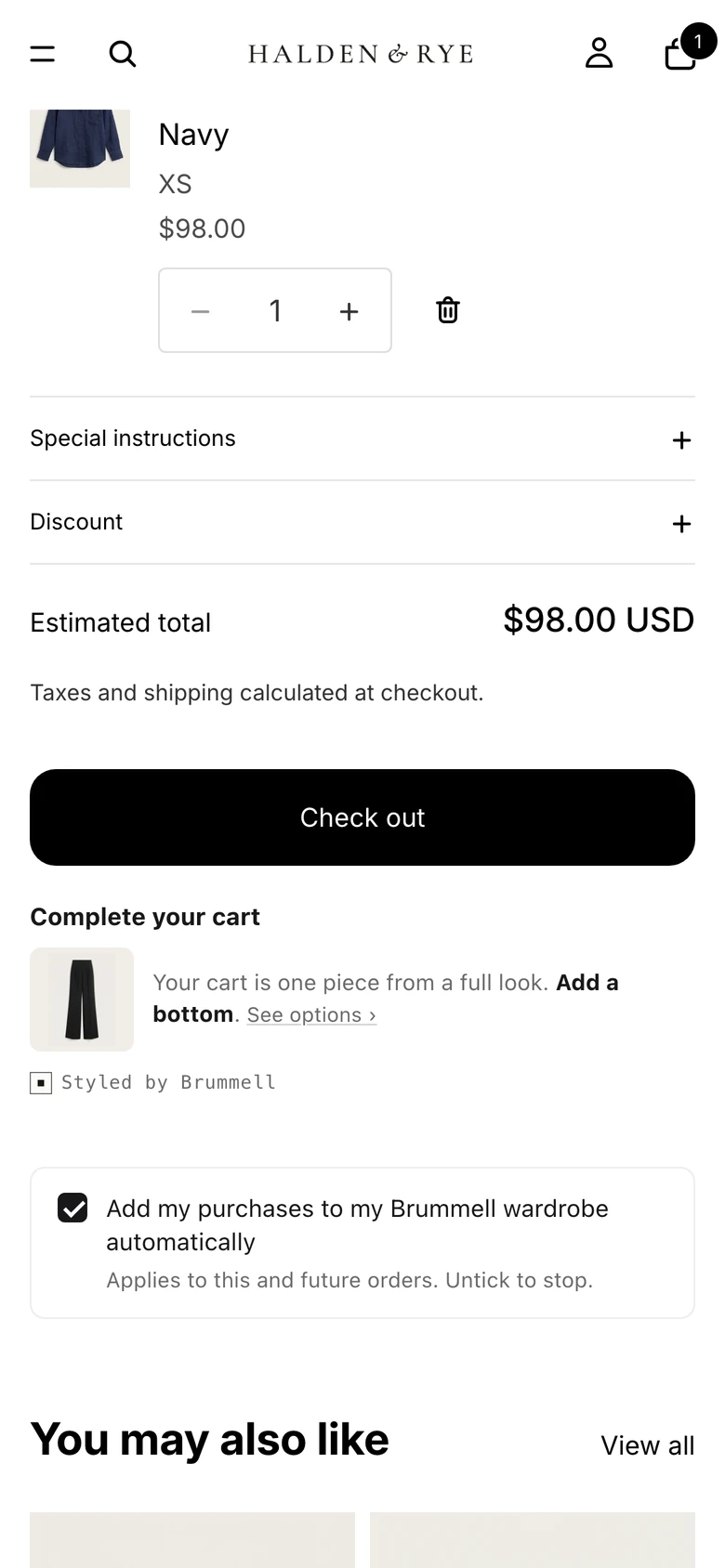
The cart page on a phone, signed in
2At the cart, she adds the order to her wardrobe
One line under the cart: Add my purchases to my Brummell wardrobe. Ticked by default on US storefronts, unticked elsewhere.
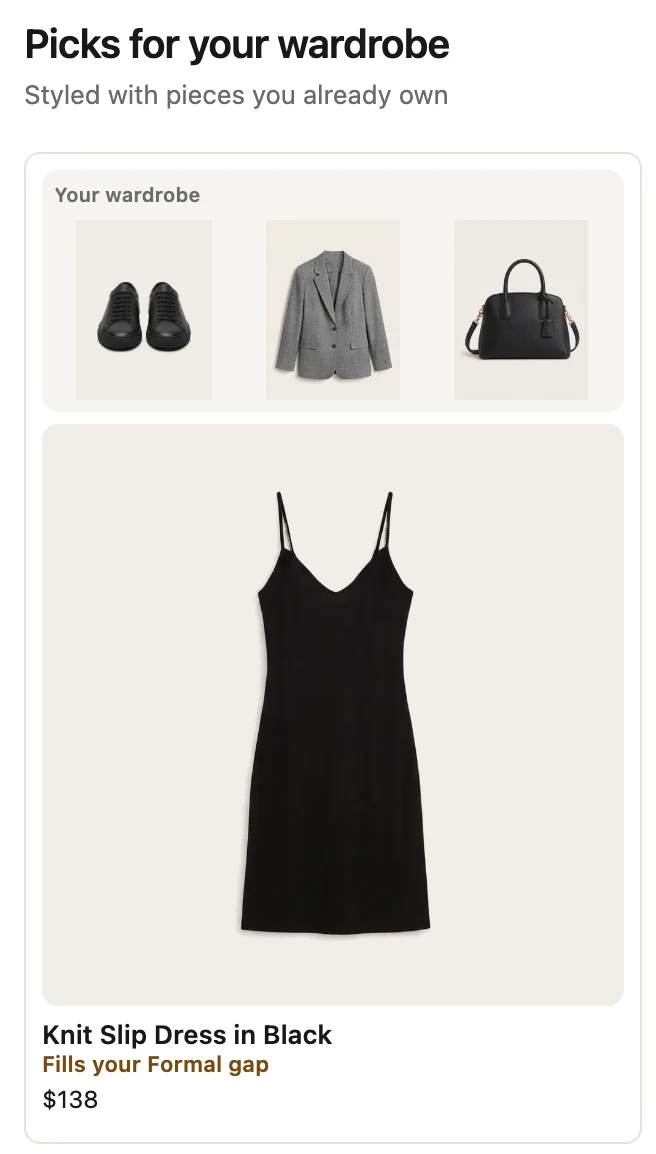
Your home-page banner, signed in to demo Brummell account
3Next visit, your pieces are shown with hers
Her own alternatives first, your gaps as her gaps. Your home-page banner reads Picks for your wardrobe.
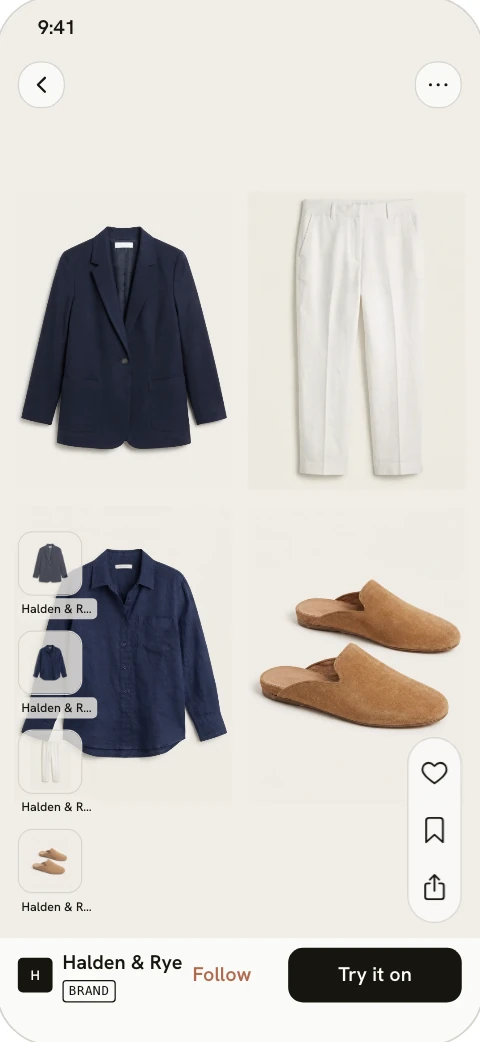
The Brummell app, from the preview in your admin
4Your Brand Looks reach her Lookbook
Growth and up
Outfits you publish appear in the Brummell app's Lookbook feed, labelled as yours.
Every plan also trades your traffic for Brummell accounts. You see how many, per 1,000 impressions.
A shopper who knows a piece makes six outfits with what she owns is a shopper who keeps it. The holdout counts the returns either way.
Nothing on any surface sends her off your store to buy.
03 With a holdout
A number you can check, not a number we hand you.
Up to one in five visitors is split off at the first visit and never sees Brummell. Add-to-cart rate, purchase rate, order value and 30-day returns are compared per arm on your own orders, and a result appears only once your own traffic reaches the sample it needs.
Nothing pushed
Sold to be kept.
- Priced on views, never on your revenue.
- Returns counted per arm.
- A Styled pick is never sold.
Brummell would rather she bought one piece she wears forty times than three she returns.
Where it sits
Outfitting used to need an enterprise contract.
Enterprise outfitting platforms build outfits from your catalog, on annual contracts, and report their own results. Look-builder apps show the looks you build by hand. Recommendation apps show what others bought. Shopify's complementary products are picked one by one. Try-on apps show the piece on her, and Google now does that for free. None of them know what she already owns, and none of them hand you a control group.
| Automatic outfits | Knows what she owns | A holdout you can check | Price shape | |
|---|---|---|---|---|
| Enterprise outfitting platforms | Yes:From your catalog | No:No | No:Their own case studies | Annual contract, quote only |
| Look-builder apps | No:Built by hand, one look at a time | No:No | No:No | Free to a small monthly fee |
| Recommendation and upsell apps | Partly:Also bought, not outfits | No:No | No:Attributed revenue | Monthly fee, some add a revenue share |
| Shopify's own related products | Partly:Complementary products picked one by one | No:No | No:Last-click reports | Included |
| Try-on apps | No:One piece on the shopper | No:No | No:No | Per render |
| Brummell | Yes:Every clothing product, from install | Yes:For shoppers with a Brummell account | Yes:Enforced, on your own orders | Monthly plan on product views, never on revenue |
Categories, not vendors. Pricing shapes as published by each kind of tool.
What we will not say
The claims you will not find here.
- A lift number before your own readout. Example readouts on this site are labelled as example data.
- That returns go down. Returns are measured per arm; whether a piece she can see in several outfits is a piece she keeps is what the holdout tests.
- Anything that judges the shopper: no fit check, no sizing, no match percentages, no style scores.
- A button that sends her off your store to buy.
- How many of your shoppers have a Brummell account. Today the answer is the ones your store creates, and the admin counts them.
Questions
The ones this page raises.
How many of my shoppers have a Brummell account?
Do you see my shoppers' wardrobes?
Does this help with AI shopping agents?
Doesn't 'fewer, better' hurt my sales?
Why not just use Google's try-on?
See your own catalog, styled as full outfits.
Send your store address and we send back what Brummell would show, before you install anything. Or install on Shopify and see it yourself.