Placements
Four placements, two sheets, one store.
Start with the product page: the Versatility Strip above Add to cart, Complete the Look below. Every other surface is optional, goes on through your theme editor, and comes off the same way. Each one also says what changes for shoppers with a Brummell account. Everything here is captured on our demo store.
Versatility Strip
The product styled for the occasions it suits, each outfit made of pieces you sell.
Signed in: the outfits are built with the shopper's own pieces first in every slot.
- Outfits for casual, work, evening and more, built from your in-stock catalog at your prices.
- No button of its own: your theme's Add to cart stays the one button that sells.
- The theme editor adds it at the end of your product information. Drag it just above the Buy buttons, then save.
- A shopper signed in to Brummell sees the product styled with clothes they already own, marked Yours and never priced.
- Cost per wear on prices, if you turn it on for the block: "$X a wear at N wears", with the method one tap away.
- Seasons follow your store's hemisphere.
- From App Store launch, on Starter and up: a logged-in customer's past purchases from your store fill the outfit slots first.
- Where
- Product page, right above Add to cart
- Plan
- Every plan, Free included
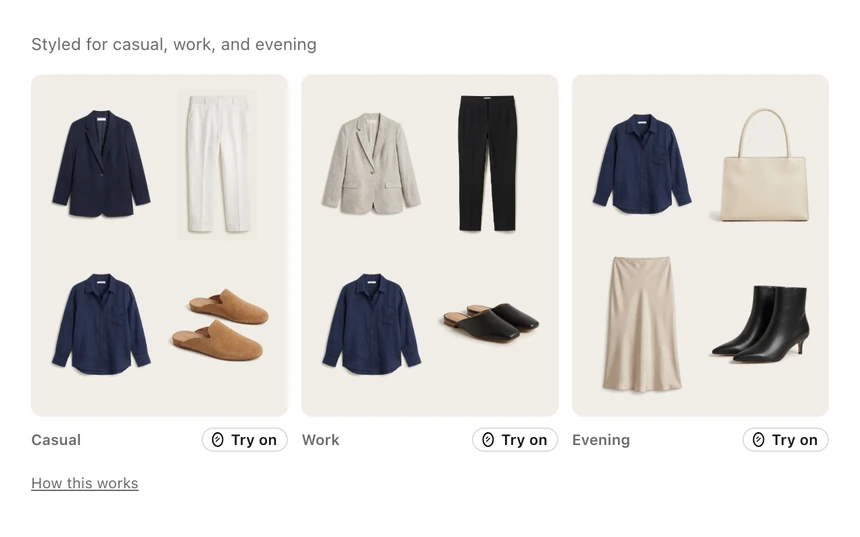
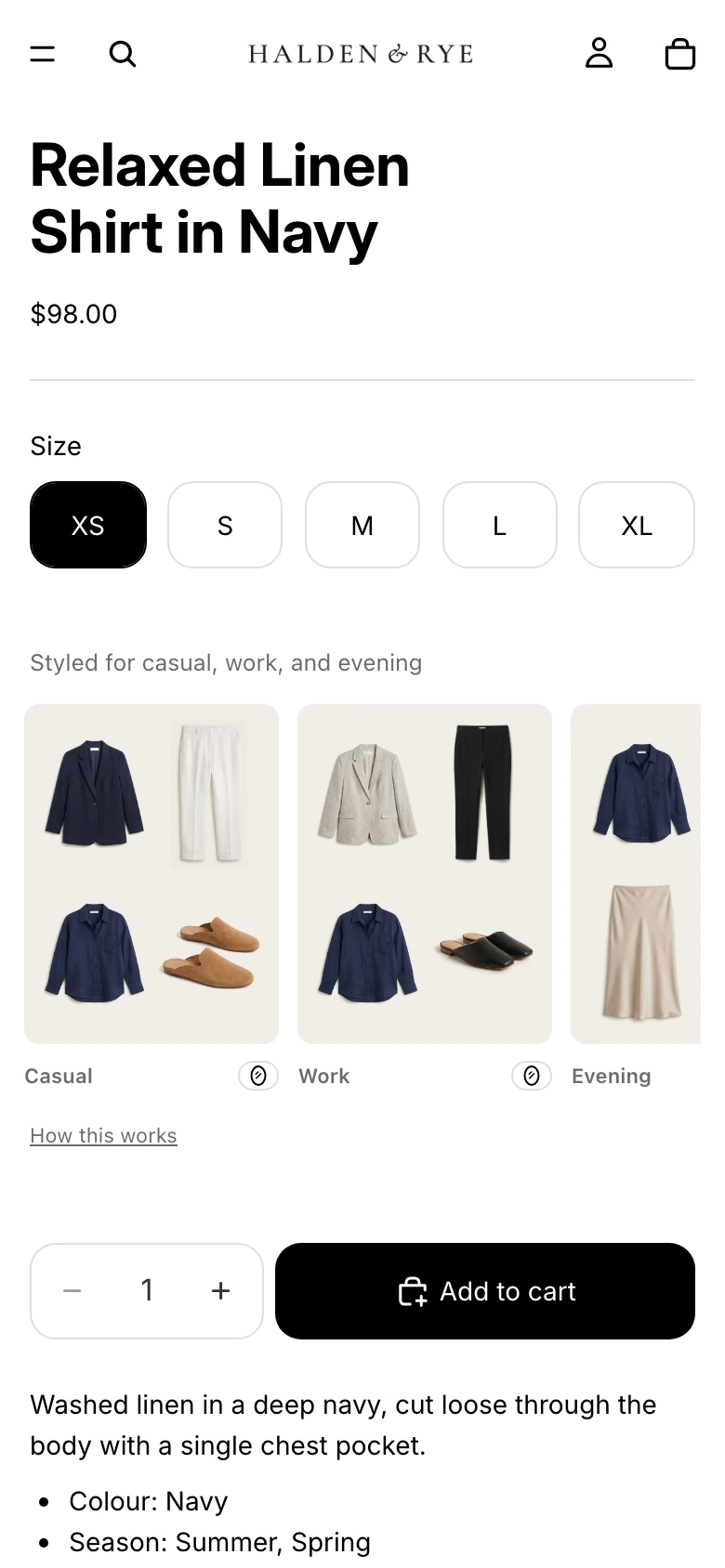
Captured on the demo store
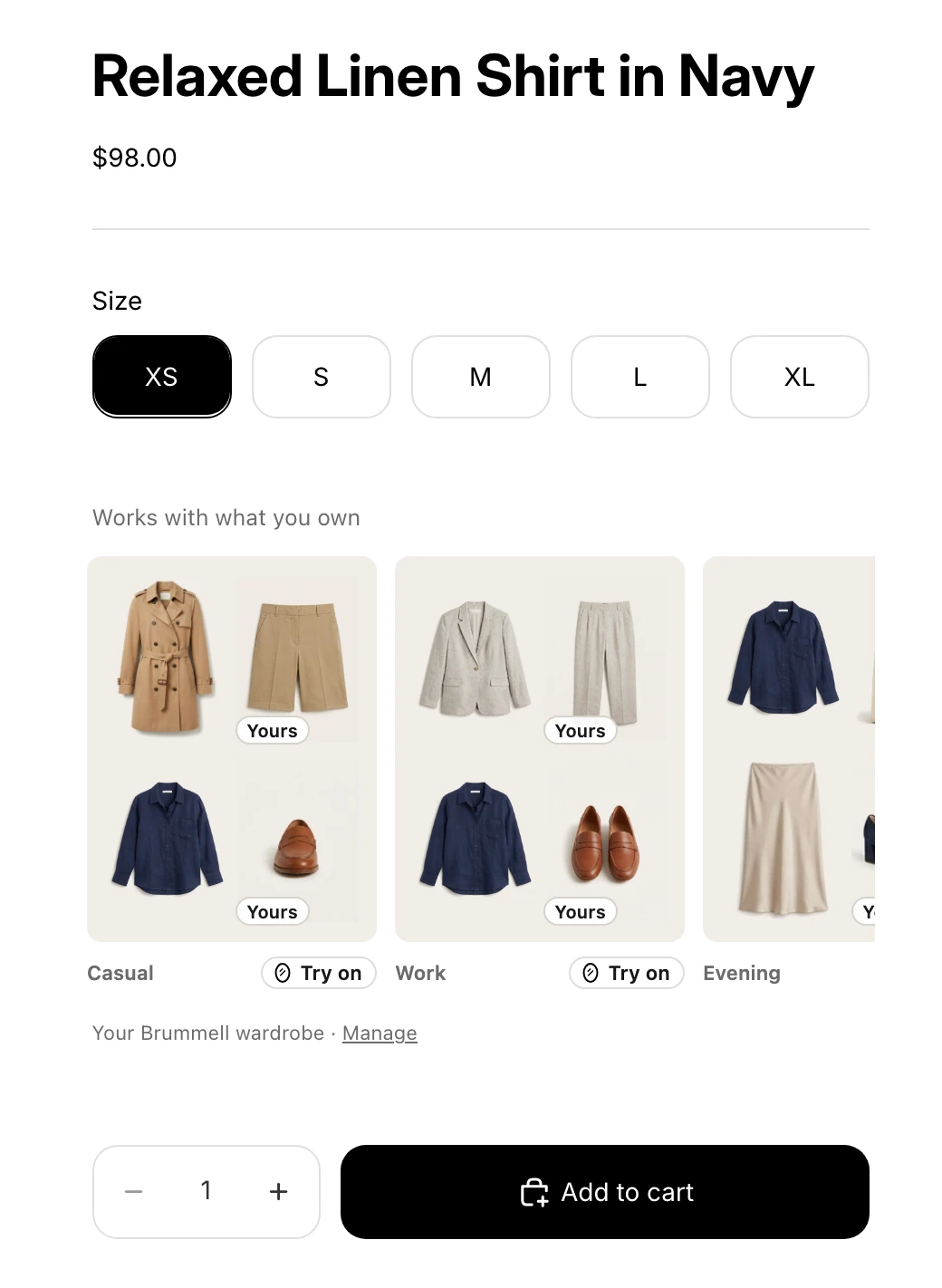
Works with what you own, signed in to demo Brummell account
Complete the Look
The pieces that finish the outfit, each with its own size picker, added in one tap.
Signed in: the same look as signed out, built from your catalog.
- Shoppers pick a size for each piece and add the whole look with one button.
- Every piece is yours and in stock; the button totals only what goes in the cart.
- Top, Bottom and Shoes chips label each piece (theme setting, on by default).
- Your Outfits lead it when you switch Complete the Look on for them.
- Where
- Product page, below the product information
- Plan
- Starter and up
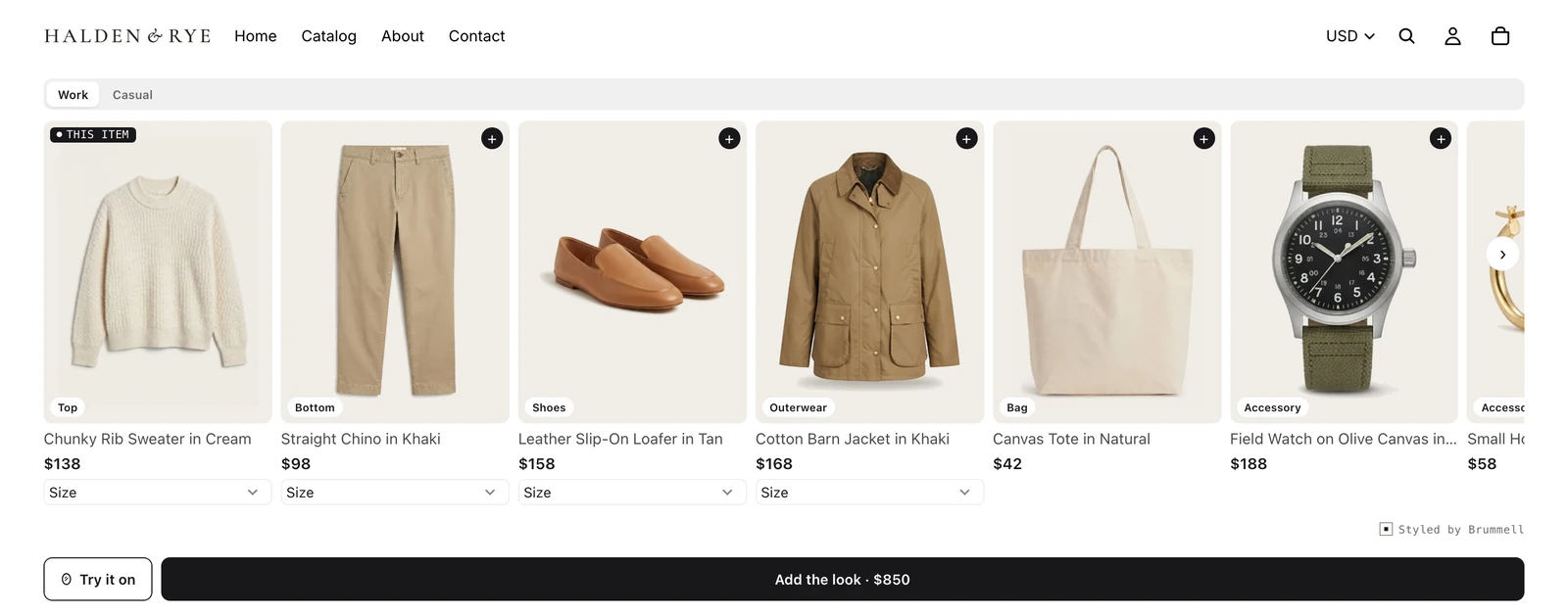
Captured on the demo store
Cart Companion
One quiet line under the cart that names the piece missing from a full look.
- Reads the real cart and suggests a category that completes it, with a link to options and a size picker.
- Shows inside your cart drawer through the app embed, which is on by default once you add it.
- Checkout stays at full price and full weight from first paint. Nothing gates it.
- Disappears when the cart already spans top, bottom and shoes.
- Where
- Cart page, or inside the cart drawer through the app embed
- Plan
- Starter and up
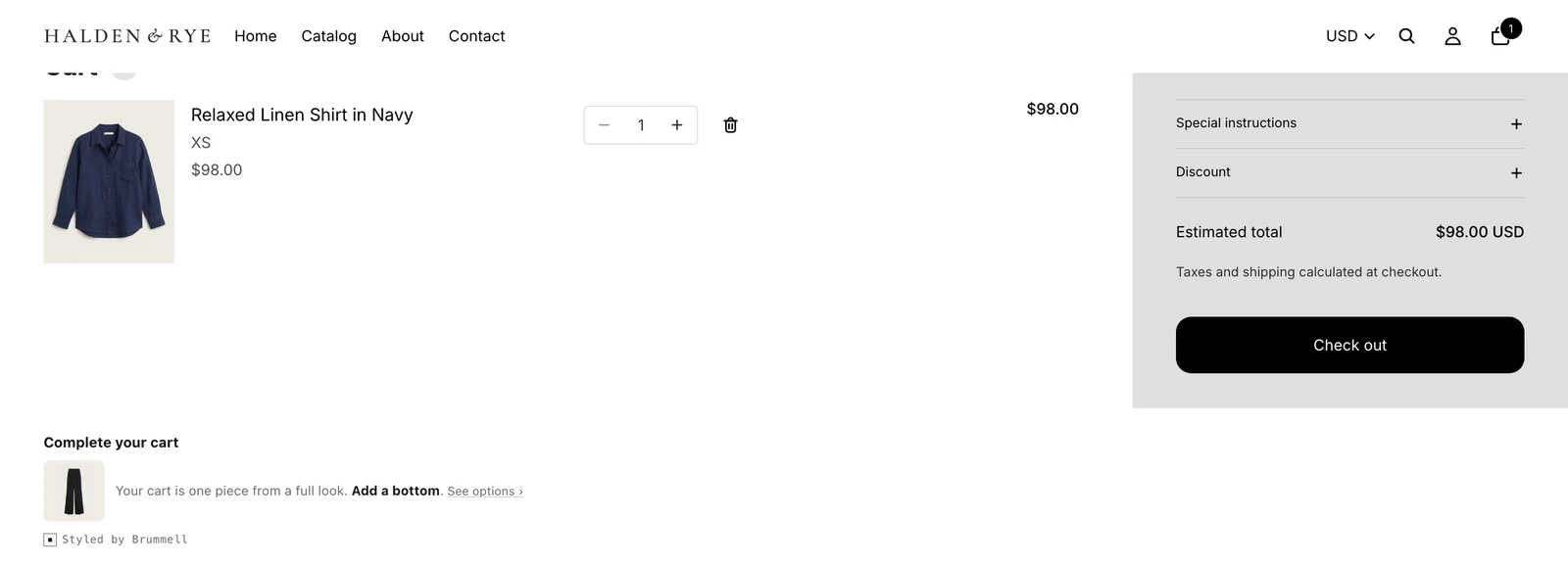
Captured on the demo store
Style Banner
A shoppable row of outfits from your catalog, by occasion.
Signed in: Picks for your wardrobe, your pieces that go with what the shopper owns, and the ones that fill a gap.
- Your Outfits lead, in the order you made them; Brummell fills the rest.
- An Outfit can carry a photo of the whole look; without one, its pieces show together.
- Each outfit shows its piece count and total, and adds to the cart with your theme's own quick add.
- A shopper signed in to Brummell can switch to Picks for your wardrobe: your pieces that go with what they own, flagged when one fills a gap.
- Where
- Home page
- Plan
- Starter and up
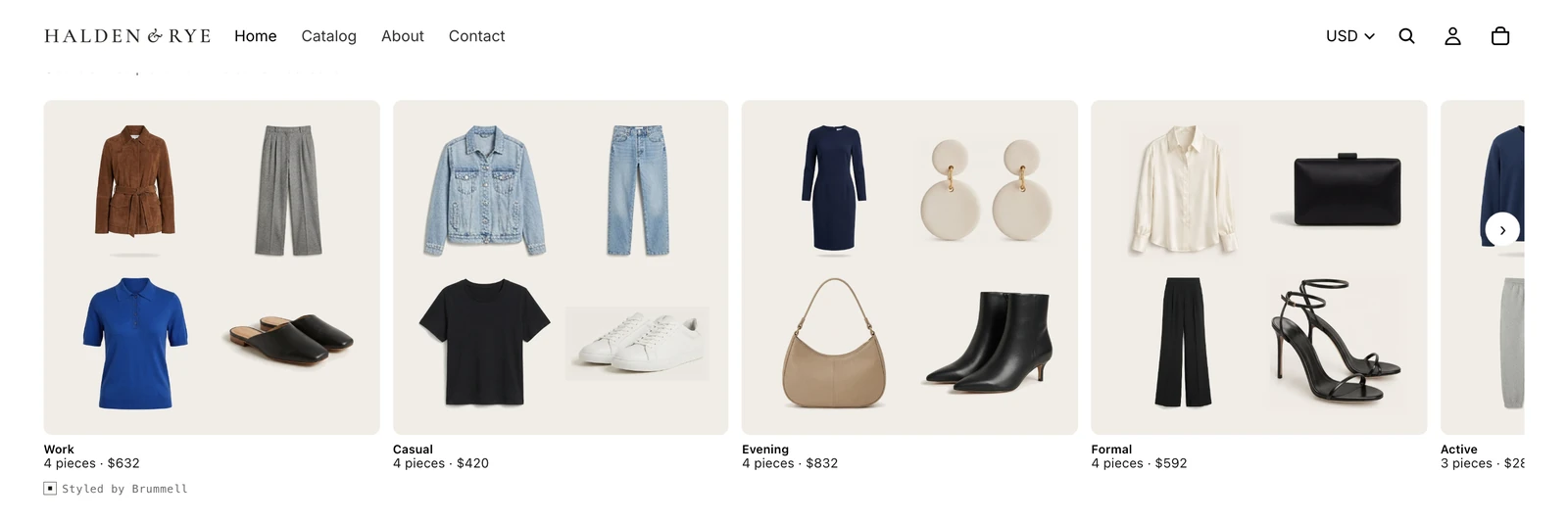
Captured on the demo store
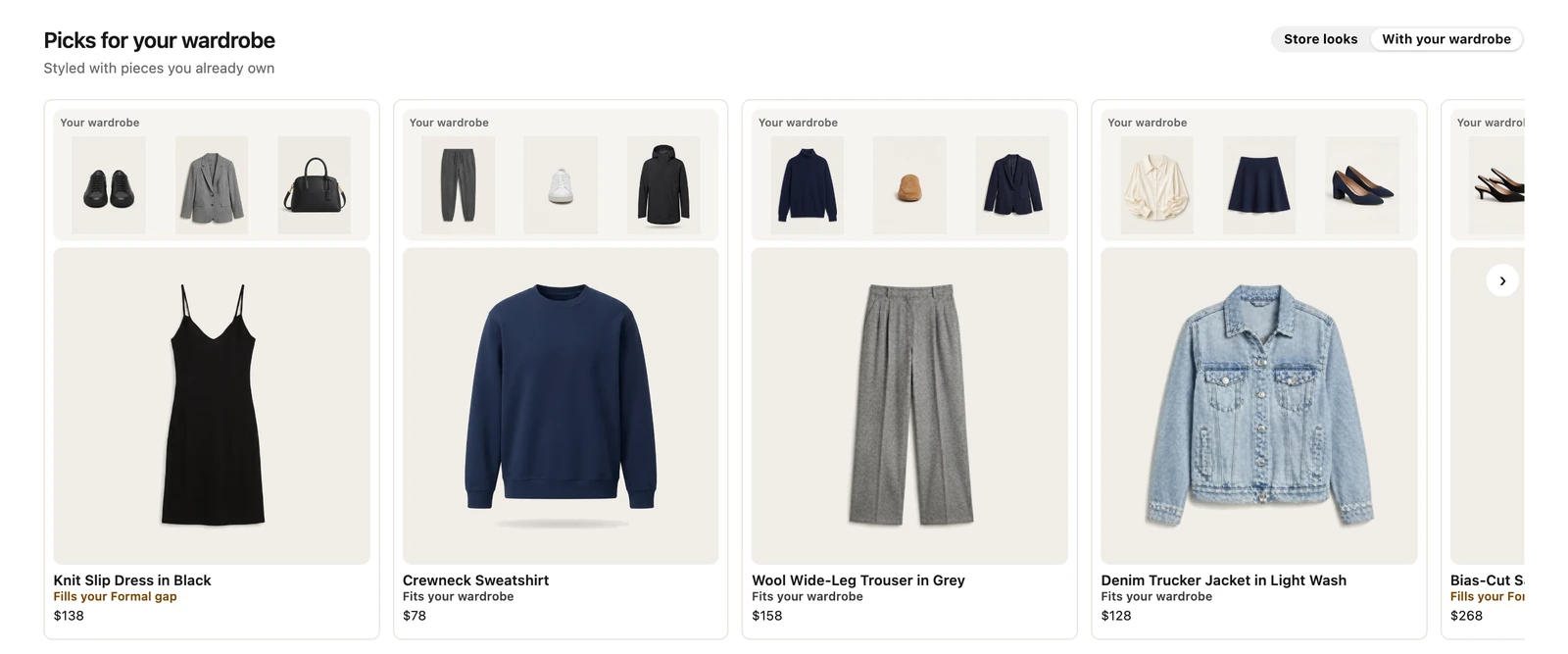
Picks for your wardrobe, signed in to demo Brummell account
Try-on
Shoppers upload a photo and see the full outfit on themselves.
Signed in: a higher cap, 10 renders a day.
- US stores only, on by default, and you can switch it off. Renders past your plan's included ones start only when you turn them on, with a monthly spend cap.
- The shopper confirms they are 18 or older before uploading.
- Uploaded photos are kept up to one hour, finished images 7 days.
- Renders are capped per person: 3 a day for a visitor, 10 a day and 150 a month signed in.
- Where
- Opens from Try this on, on the product page blocks
- Plan
- Renders included on every plan
 AI model
Shown on an AI-generated model photo
Outfit editor
Shoppers swap, remove or add pieces and buy the outfit they made.
Signed in: the shopper can build the outfit with pieces they own; only yours go in the cart.
- Every piece for sale comes from your catalog, with a size picker per piece.
- Shoppers can try the outfit on, save it and come back to it.
- Signed in to Brummell, a shopper can build it with pieces they own: those are marked Yours and never added to the cart.
- Where
- Opens from Edit this outfit, on the product page blocks
- Plan
- Every plan, on by default
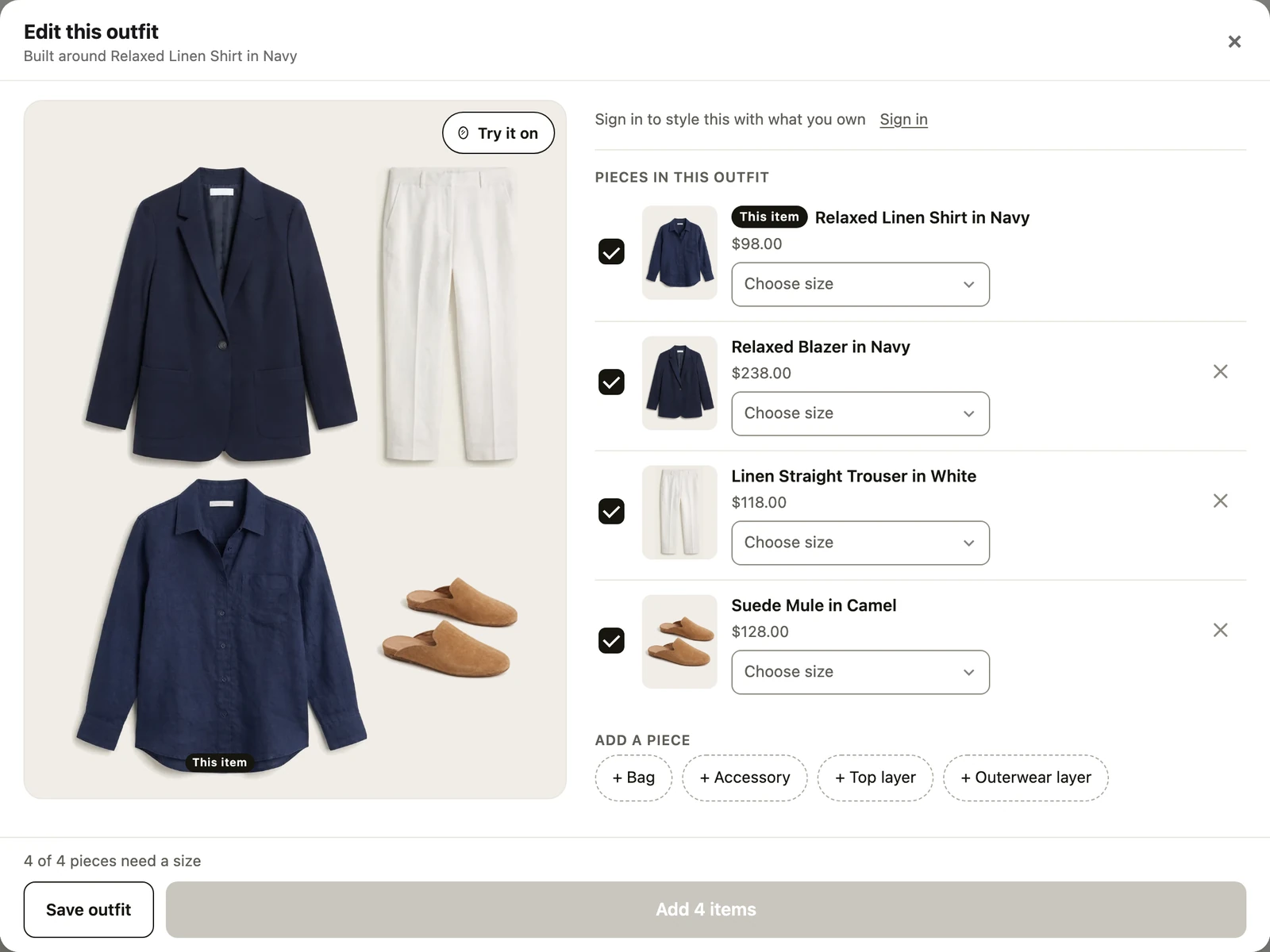
Captured on the demo store
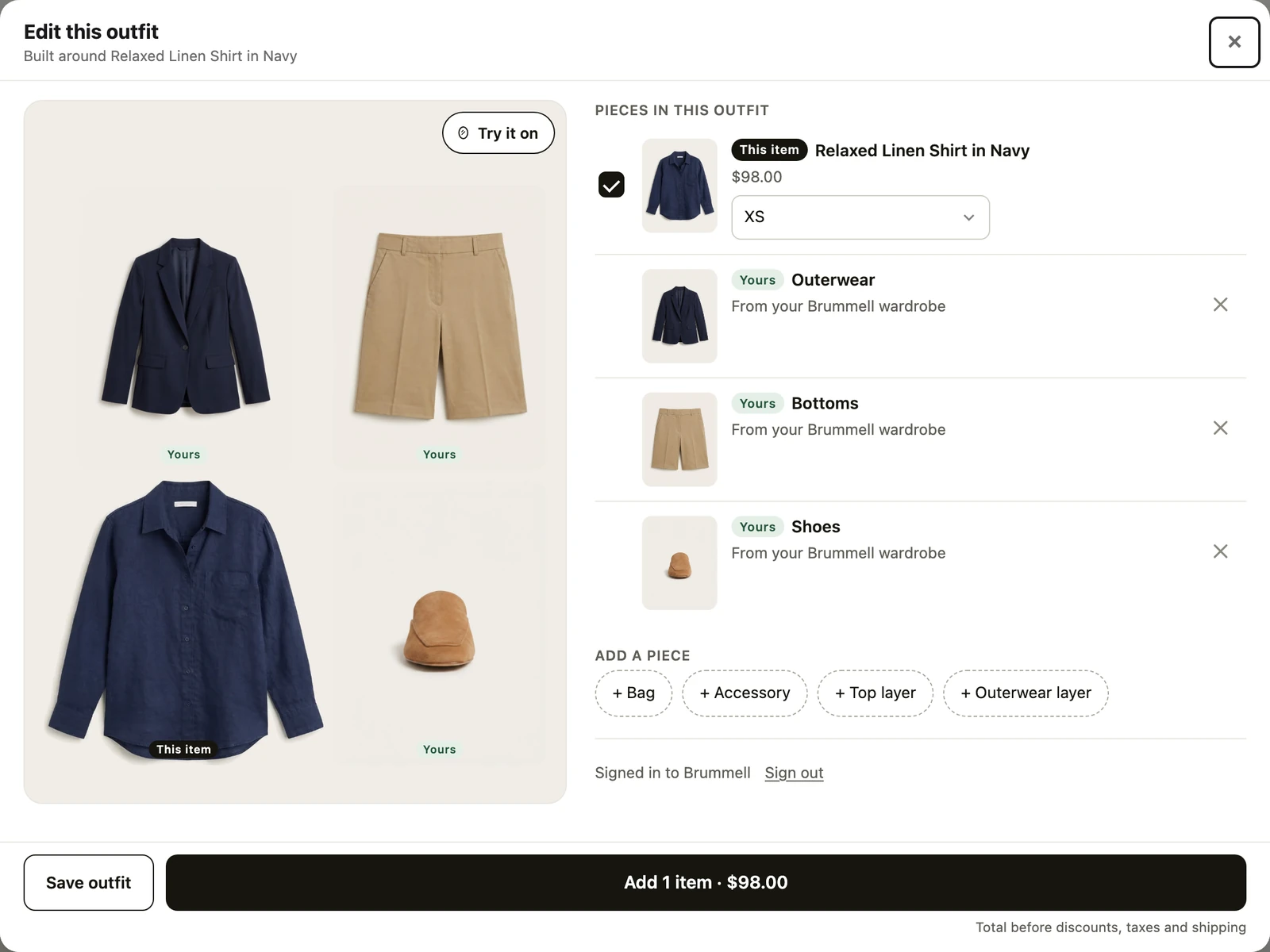
The shopper's own pieces, only yours in the cart, signed in to demo Brummell account
No button on any surface sends a shopper off your store to buy. A shopper's own pieces are always marked as theirs and never priced. No fit check, no sizing logic, no match percentages or style scores, on any surface, at any plan.
See your own catalog, styled as full outfits.
Send your store address and we send back what Brummell would show, before you install anything. Or install on Shopify and see it yourself.